
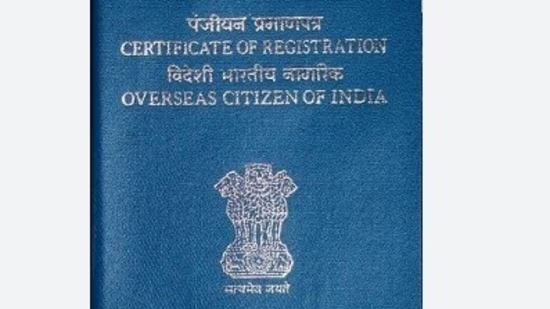
India has declared the introduction of the electronic Overseas Citizen of India (e-OCI) card for its citizens residing overseas, in conjunction with an upgraded online portal designed to manage foreign contributions. These two initiatives are intended to streamline compliance and enhance public services.
The Bureau of Immigration has announced the introduction of the e-OCI card on X, stating: “Great News for All OCI Cardholders! The e-OCI (Electronic OCI Card) has been officially launched!”
“No more carrying your physical OCI booklet everywhere. You can now download your digital e-OCI Card on your mobile phone and present it at Immigration Check Posts and to airlines.”
Also Read: India student with US visa denied entry at Atlanta airport, raising worries over online privacy
What is the e-OCI facility?
The e-OCI is a digital representation of the current OCI card. Once created, it can be saved on a smartphone and shown to immigration officials and airline personnel as needed during travel.
The government has stated that this digital card serves as an added convenience and does not substitute the physical OCI card.
This move aims to alleviate the burden of carrying the OCI booklet and simplify travel documentation, especially for those who travel frequently.
Steps to download e-OCI card
OCI cardholders can download the e-OCI card by following a simple process online via the official OCI Services Portal.
Here are the steps to do so:
1. Access the OCI Services Portal.
2. Log in with your existing user ID and password.
3. If you have not previously registered, create an account using the email associated with your OCI application.
4. Navigate to the e-OCI section on the dashboard.
5. Your OCI application details will be displayed automatically.
6. Click on the option to Generate e-OCI Card.
After generation, you can download the e-OCI card and store it on your mobile device.
This digital card can be shown as proof of OCI status when required during international travel.
Can the digital card be utilized at immigration?
Yes. As per the government’s announcement, the downloaded e-OCI card is acceptable at immigration checkpoints as well as for airlines when necessary.
This allows eligible travelers to access their OCI document directly from their mobile devices, eliminating the need to carry the physical booklet on every trip.
However, travelers must ensure that the downloaded card is readily accessible on their device throughout their journey.
Also Read: Indian student’s F-1 visa denial despite UMD admission sparks discussion; here’s what went wrong: ‘Don’t leave your…’
Is physical OCI booklet valid?
Yes. The introduction of the e-OCI does not impact the validity of the existing physical OCI cards.
The government has clarified that the physical OCI booklet will continue to be valid. The digital version has been introduced solely as an additional convenience for OCI cardholders.
Those who prefer to carry the physical booklet are welcome to do so.
Why is this significant for OCI cardholders?
The introduction of e-OCI is anticipated to streamline travel for overseas Indians who frequently visit India.
Some of the primary advantages include:
Elimination of the need to carry the physical OCI booklet on every trip.
Quicker access to OCI documents via a mobile device.
Decreased likelihood of forgetting or losing the physical card while on the move.
Simplified document presentation at airports and immigration checkpoints.
For families with several OCI cardholders, especially elderly individuals and children, maintaining a digital copy may also facilitate easier management of travel documentation.
Who is eligible to use the e-OCI service?
This service is accessible to current OCI cardholders. Users must have access to the OCI Services Portal and the credentials linked to their OCI application to create the digital version.
The launch of e-OCI signifies another advancement in the government’s extensive initiative to digitize citizen services while enhancing the convenience of international travel documentation. While the physical OCI card continues to be fully valid, the digital alternative provides OCI cardholders with increased flexibility by enabling them to have their OCI document readily accessible on their smartphones during travel.