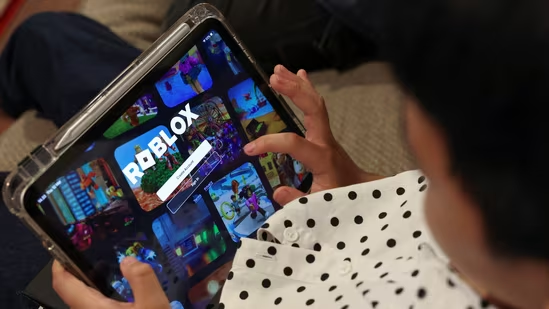
A widespread outage on Roblox has left thousands of users unable to properly access games and assets, with the company confirming ongoing issues tied to its asset delivery systems. Downdetector, a platform that tracks online outages, registered over 1000 reports about Roblox at the time of writing this story.
What is wrong with Roblox?
According to the platform’s official status page, the incident has been classified as “Degraded Performance,” specifically affecting the “Creator” component and “Asset Delivery” infrastructure. The disruption was first flagged on April 11, 2026, at 12:41 PDT, with engineers still investigating the root cause.
In a brief update, Roblox acknowledged the issue, stating: “Asset delivery is currently facing errors – users may see defaults at this time.” The company has not yet provided a timeline for full resolution.
What’s happening?
The outage appears to be impacting how in-game assets, such as avatars, textures, and game elements, are loaded. As a result, players may notice missing visuals, default skins, or broken experiences across games on the platform.
Creators, who rely on asset uploads and real-time rendering, are also facing disruptions.
“roblox devs and roblox studio peeps… is it down or something or did I get super manic and break my game over night and forgot about it,” one person complained on X, platform formerly known as Twitter.
“Oh d•mn, Roblox is officially down •_•” another user tweeted.
What users can do
While the issue is server-side and cannot be fixed directly by users, there are a few steps players can take while waiting for a resolution:
Refresh or restart the app: Sometimes temporary caching issues can worsen the experience. Restarting may help load some assets correctly.
Switch devices or networks: In rare cases, connectivity differences may slightly improve performance.
Avoid making purchases: With asset errors ongoing, it’s advisable to delay in-game purchases until systems stabilize.
Monitor official updates: Roblox’s status page and social channels will provide real-time updates.
However, since the issue originates from Roblox’s backend systems, most users will need to wait for the company to resolve the outage.
What happens next?
As of now, Roblox has not escalated the incident beyond the “Investigating” stage, indicating that engineers are still diagnosing the problem rather than implementing a fix.
Until a resolution is deployed, users can expect continued disruptions, including missing textures, delayed asset loading, and inconsistent gameplay performance.
For now, the company’s one-line acknowledgment underscores the uncertainty: systems are experiencing errors, and users “may see defaults at this time.”